Bitshow: A Fresh Font for Creative Designs
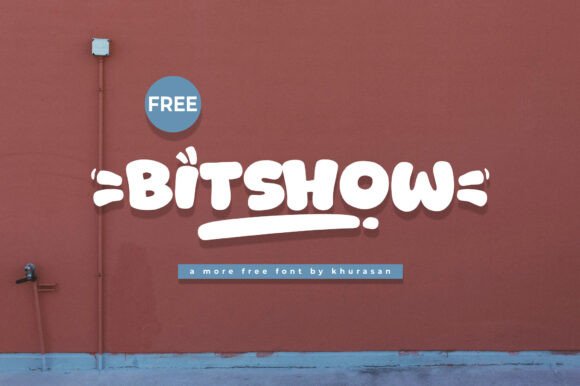
Bitshow is more than just a typeface—it's a design tool that brings charm and clarity to your visual projects. With its modern, rounded edges and playful yet professional appearance, Bitshow works well across a variety of media. Whether you're crafting a logo, designing a book cover, or putting together a poster, this font helps your message stand out in a clean, approachable way.
Why Bitshow Works for Designers and Creators
Designers often look for typefaces that offer both personality and flexibility. Bitshow delivers both. Its cute, slightly whimsical style doesn't compromise readability, making it ideal for both digital and print applications. The font's open letterforms and consistent spacing allow it to remain clear even at smaller sizes, which is especially useful for mobile designs or magazine layouts.
What sets Bitshow apart is its adaptability. It can shift from fun and friendly to clean and contemporary depending on how it's used. Pair it with bold colors and playful graphics for a children's book cover, or combine it with minimalist layouts for a modern brand identity. This range makes it a smart choice for designers who want one font that can support multiple creative directions.
Creative Uses for Bitshow Across Projects
From logos to banners, Bitshow finds a home in a wide range of design formats. Here are a few ways to make the most of it:
- Logos: Use Bitshow for brands that want to feel approachable and innovative. It's especially effective for startups, creative agencies, or lifestyle brands.
- Book Covers: The font’s soft curves and legibility make it great for titles that need to feel inviting yet professional.
- Magazines: Try Bitshow for subheadings or pull quotes in editorial design. It adds visual interest without competing with the main text.
- Posters and Banners: Whether for events or promotions, Bitshow’s bold presence ensures your message is seen and understood quickly.
How Different Users Can Benefit from Bitshow
Bitshow isn’t limited to professional designers. Many types of creators can use it effectively:
- Bloggers and Social Media Creators: Enhance your visual content with Bitshow for quote graphics, story highlights, or branding elements that feel fresh and recognizable.
- Entrepreneurs: Startups and small businesses can use Bitshow to build a friendly, modern brand identity without needing a full design team.
- Educators: Create engaging handouts, presentations, or classroom visuals that are easy to read and visually appealing to students.
- Hobbyists: Whether you're making invitations, crafting digital art, or designing stickers, Bitshow offers a cute yet clear style that works for personal projects.
Matching Bitshow with the Right Design Style
One of the keys to using Bitshow effectively is pairing it with complementary design elements. Because of its rounded shape, it pairs well with geometric or minimalist visuals. For a clean look, try combining it with simple line icons or flat backgrounds. For a more expressive style, use it with hand-drawn illustrations or textured elements to add depth and warmth.
Color also plays a big role in how Bitshow is perceived. Soft pastels bring out its gentle tone, while bold, high-contrast colors make it pop for attention-grabbing headlines. Don't be afraid to experiment—Bitshow's versatility supports a wide range of color and layout choices.
Using Bitshow Across Platforms
Whether you're designing for print, web, or mobile, Bitshow adapts well to different formats. Here’s how to use it effectively across platforms:
- Web Design: Use Bitshow for headers or call-to-action buttons where clarity and charm are key. Just make sure it's not overused in body text for optimal readability.
- Print Media: It shines in posters, flyers, and packaging where visual appeal matters. Its clean spacing ensures it looks good in both small and large print sizes.
- Social Media: From Instagram stories to Pinterest graphics, Bitshow helps your visuals stand out in fast-scrolling feeds.
Maintaining Clarity and Consistency
While Bitshow has a playful look, it's important to use it in a way that maintains clarity and professionalism. Here are a few tips to keep your designs effective:
- Limit usage: Stick to one or two weights of Bitshow in a single design to avoid visual clutter.
- Balance with other fonts: Pair Bitshow with a simple sans-serif or serif font for body text to ensure readability and contrast.
- Test in context: Always preview your design in its final format—whether on screen or in print—to make sure Bitshow looks as intended.
Get Inspired and Start Creating
Bitshow is a font that encourages creativity without sacrificing usability. Whether you're designing a logo, a magazine layout, or a personal project, it brings a modern, approachable touch that resonates with audiences. By understanding how to use it thoughtfully, you can enhance your visual communication and bring your creative ideas to life with clarity and style.
Explore what Bitshow can do for your next project. Try it in different contexts, combine it with your favorite design elements, and see how it transforms your work. With a little experimentation, you might find it becomes a go-to choice for a wide range of creative tasks.